

Converting ASPX files to PDF can be tricky. ASPX files are also referred to as .NET web forms. They are web generated files designated for Microsoft’s ASP.NET framework.
They contain scripts and source codes that help communicate to a browser. The file format can only be edited using some programming tools like C#. Therefore, there is a need to convert such ASPX to PDF to ensure that you can read the file irrespective of the system and its specification.
There are a few tools and tricks that you can use to convert ASPX to PDF or create PDF in C#. Some are online ASPX files to PDF files converter tools, and some are offline. But before you convert the file, it is essential to open it in a viewable format to decide if you should convert it to PDF or not.
Converting ASPX Files to PDF: A Complete Guide
You can use Notepad to open and view the file. To do this, you will have to right-click the document and choose the “Open with” option. A variety of applications that can open the file will be displayed, but you will find it easier to use Notepad.
1. Renaming the file
In most cases, when you have accidentally downloaded an ASPX file expecting it to contain a document or some type of data, it is normally because there is something wrong with the website. Instead of generating useful information, it provided this server-side file instead.

When this happens, one trick is to rename the ASPX file to whatever you expect it to be. In this case, you will name it to the format you prefer. If, for example, you expected a PDF version of a report from your online bank account and downloaded the ASPX file instead, you can choose to rename it as ‘bill.pdf,‘ and then you can open the file.
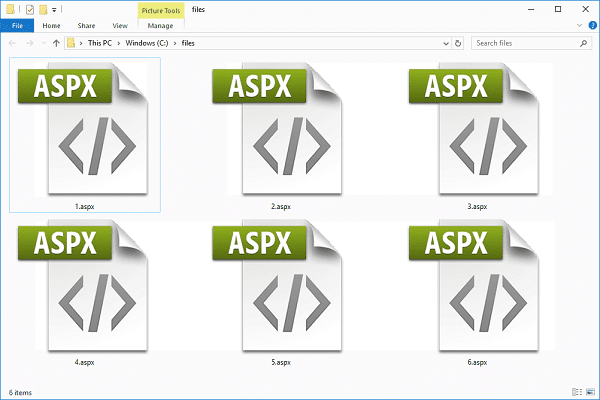
2. Open the file with your favourite browser
As ASPX is an internet media type of document. With the help of any modern web browser, you can view and open the file on your computer. Follow the following step to open ASPX file in your favourite browser and save it as PDF document:
a. Copy the ASPX file to the URL field
The best browser to use is Chrome Browser. Drag the ASPX file from your computer into the URL field of Chrome. The browser will automatically open the data, and this will allow you to view the content available in the ASPX file.
b. Convert ASPX Files to PDF
If you want to know how to convert ASPX files to PDF, you can simply use a few shortcuts on your browser. Start by pressing ‘Ctrl + P’ to open the print settings of the web page. From the pop-up window, you will press the “Change” button to convert the document into a PDF file. You will now select the ‘Save as PDF’ option. You can now press the ‘Save’ button that will appear in the next screen to save the ASPX file in PDF document format.
3. Generating PDF in C#
PDF is a file format that enables users to exchange and view electronic documents easily and reliably. You can create a PDF file by programming from C# very easily. If you want to generate PDF in C#, you need to search for any PDF library and download its source code.
There are many libraries available, both freeware and commercial. After downloading the software that will help you to program PDF files, you need to create a new project where you will add the assembly references. From here, you can download the PDF file source code and copy it as an assembly reference. Then you can generate the PDF files you want by using the function specified in the documentation of the PDF library you chose.
Conclusion
Learning how to convert ASPX files to PDF documents is quite simple. One of the simplest tricks is to simply rename the ASPX file and open it as a PDF document. For this method, you should add ‘.pdf’ at the end of the name. Another approach is to open the file on your browser.
On browsers like Chrome, you can view the file as ASPX or convert them to PDF. The other method of converting ASPX files to PDF is to generate the data in C#.
Watch this space for updates in the Hacks category on Running Wolf’s Rant.
🐺 Support Us: Buy us a coffee, it will help us to bring you more content.
📬 Become part of the Wolf Pack: Subscribe to our newsletter to stay in the loop.
🔍 Explore our site: Scroll down to see related and featured posts. You're also welcome to check out our Music, Screen or Knowledge Hubs. Alternatively, feel free to check out our Popular Articles.
📐 Afrikaanse Mense: Check bietjie ons Afrikaanse Hoekie uit.
🕳️ Go Down The Rabbit Hole: Read Random Facts or Watch a Random Music Video.
📅 Find Something To Do: Check out our Featured Upcoming Events or our SA Gig Guide.












Featured Articles




Looking for a gift for that special person in your life? Check out Netflorist.co.za, South Africa's top online florist and gift service. They offer flowers, gifts, and hampers for all occasions AND reliable nationwide delivery.

2 Comments
There is a tool at zetpdf.com which can generate pdf files in C# very easily
Thanks for sharing Mark