


Netflix is a great way to stream thousands of titles of online content, including well-known TV series, movies, mind-broadening documentaries and stand-up comedy shows, whenever and wherever you are. But when it comes to streaming data usage, making sure that you don’t run out of cap, or incur additional costs.
If you’re on Wi-Fi, there’s no need to be concerned as the streaming service automatically adjusts your data usage according to your bandwidth. But if you’re watching Netflix using your monthly data plan through your cellular carrier, you’ll want to be aware of your data usage.
Luckily, Netflix allows you to control how much data you use. Here are some pointers to help you monitor both Wi-Fi and mobile data usage while you stream, and how to control it.
How can I control how much data Netflix uses?
Watching movies or TV shows uses about 1 Gb of data per hour for each stream of standard definition video, and up to 3 Gb per hour for each stream of HD video. This can be limiting if you have a monthly bandwidth or data cap.

In order to avoid unwanted bills or having more month than your money, you can adjust your data usage settings for your account and reduce the amount of bandwidth used while watching. There are four data usage settings to choose from. Each estimate below is per stream:

1. Low (0.3 GB per hour)
2. Medium (SD: 0.7 GB per hour)
3. High (Best video quality, up to 3 GB per hour for HD and 7 GB per hour for Ultra HD)
4. Auto (Adjusts automatically to deliver the highest possible quality, based on your current connection speed)
To select a setting that works best for your data plan, navigate to the Your Account page and select Playback settings in the My Profile section (https://www.netflix.com/HdToggle). It can take up to 8 hours for these changes to take effect. Restricting data usage may affect video quality while watching Netflix.
How do I manage mobile data usage on Netflix?
Netflix allows you to set limits for the amount of data it uses from your mobile device. You can do this within the Netflix app on your phone or tablet. Doing so is an easy way to reduce the amount of bandwidth you use watching Netflix on your mobile device.
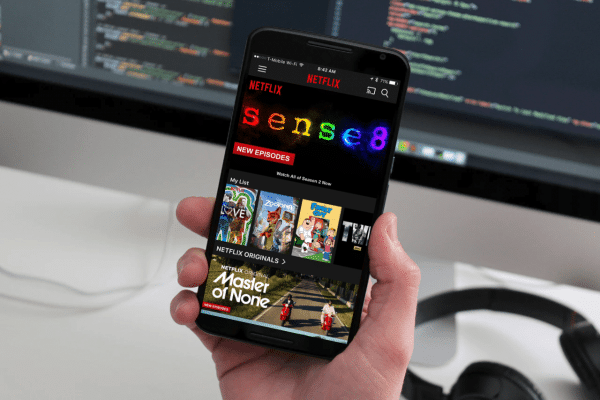
There are six data usage settings to choose from. Each estimate below is per stream:
1. Off – You will only be able to stream on the device while connected to Wi-Fi.
2. Auto – Netflix will select a data usage setting that balances data usage with good video quality. Currently this will allow you to watch about 3 hours per GB of data.
3. Low – Watch about 4 hours per GB of data.
4. Medium – Watch about 2 hours per GB of data.
5. High – Watch about 1 hour per GB of data.
6. Unlimited – Recommended only if you have an unlimited data plan. This setting will stream at the highest possible quality for your device and the content you are viewing. This may use 1 GB per 20 minutes or more depending on your device and network speeds.
To select the setting that works best for your mobile data plan, while in the Netflix app, select the Menu icon. Select App Settings. Select Cellular Data Usage and then select your preferred setting.
To get Netflix and put these data usage limits into place, go to www.netflix.com and follow the simple instructions. Sign up and get the first month free.
Netflix is the world’s leading internet entertainment service with 104 million members in over 190 countries enjoying more than 125 million hours of TV programmes and films per day, including original series, documentaries and feature films. Members can watch as much as they want, anytime, anywhere, on nearly any internet-connected screen. Members can play, pause and resume watching, all without commercials or commitments.
How do I sign up to Netflix?
Fortunately the smart folks at Netflix have thought about everything when it comes to making sure that you can get your streaming fix. You can sign up by using a credit card (Visa / MasterCard), Google Play or iTunes accounts (you can also purchase vouchers from various grocery and retail stores if you do not have a credit card to link to your account).
Netflix offers three membership plans to suit your needs. Your plan will determine how many people can stream Netflix content at once, and whether you can view in Standard Definition (SD), High Definition (HD) or Ultra High Definition (UHD):
- Basic Plan: 1 screen plan SD (watch on 1 screen at a time, Standard Definition) for R129.99
- Standard Plan: 2 screen plan HD (watch on 2 screens at the same time, High Definition when available) for R164.99
- Premium Plan: 4 screen plan HD/UHD 4K (watch on 4 screens at the same time, includes High Definition and Ultra High Definition when available) for R199.99
Follow these easy steps to start watching Netflix today:
- Log onto www.netflix.com or download the Netflix app from your favourite app store (iTunes/Google Play)
- Choose the membership plan that’s right for you
- Create an account by entering your email address and creating a password
- Enter a payment method so you don’t miss a single episode when your free trial ends
- That’s it. Stream on!
You can cancel your free trial any time during your first 30 days and never be charged. If you choose not to cancel, your account will not be charged until your free trial ends. A reminder email will be sent to you three days before your free trial ends to ensure you’re still enjoying Netflix.
As a member, you’ll be billed once a month on the date you originally signed up. If you decide Netflix isn’t for you, you always have the option to cancel online, anytime.
Watch this space for regular updates in the Hacks category on Running Wolf’s Rant.
Like what you just read? Buy us a coffee to enable us to bring you more content like this.
You're also more than welcome to subscribe to our newsletter to stay in the loop.
Feel free to explore our website or check out our Featured Articles.
Looking for a gift for that special person in your life? Check out Netflorist.co.za, South Africa's top online florist and gift service. They offer flowers, gifts, and hampers for all occasions AND reliable nationwide delivery.
