

Are you interested in editing photos? Learning photo-editing basics is necessary to improve your selfies or create professional-looking images for your business. For example, if you are a tattoo artist, the photo is an important part of the job, and you need to learn how to make it look as good as possible before sharing it with your clients.

Also, if you were planning to get a tattoo, pay attention to the Ink-Match, which brings together the best tattoo artists from all over America. You can find inspiration and get a better idea of what you want. This article will discuss the best tools and tutorials for editing photos. We’ll also provide tips on how to get started!

Why do we edit photos?
Photo editing is manipulating digital photos to improve their appearance. Sometimes we want to improve the quality of the photo, make it look more professional, change the way it looks, and make a particular subject stand out more. Or we’re trying to salvage a photo that’s not perfect. Some basic editing steps can help you get better results.
Things to think about before you begin editing
The first thing you need to do is think about what you want to achieve with your photo editing. Are you looking to improve the quality of your photos? Or are you wanting to add some creative effects? Knowing your goal will save you a lot of time in the long run, as it will help you find the best tools and tutorials for your needs.
How to edit photos like a professional?
Before using advanced features, it’s essential to learn the basics of photo editing. It includes understanding how to use layers, adjustment layers, masks, and more. There are a few basics that everyone should know.

Try HDR photography
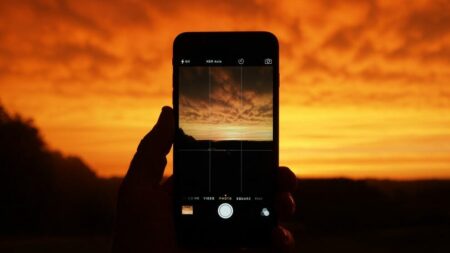
If you’re shooting in a high-contrast environment or want to add some drama to photos, HDR photography is a great option. To do this, you’ll need an HDR-compatible camera and software. It is a great way to make your photos pop.
Choose a photo editor
There are a ton of different photo editors out there, and it can be tough to decide which one is right for you. Do some research and read reviews to find the best for your needs and download it. See which one you like the interface and is easiest to use.
Crop the image to enhance your composition
The first thing you should do when editing a photo is crop it to improve the image’s composition and make it more visually appealing. Simply click on the “Crop” tool in your photo editing software and select the area you want to keep.
Correct your exposure
If your photo is too dark or too bright, you can use various photo editing tools to correct the exposure. There will be a Levels tool or an Exposure tool in most editing software. Find the slider for shadows, mid-tones, and highlights to adjust the levels.
Clean Up Your Images
Starting with a clean image is essential to get the best results for your photos. It means getting rid of any unwanted blemishes or distractions. Depending on the software you’re using, you can use the clone stamp tool and the spot healing brush.
Adjust white balance
White balance is the term used to describe the overall color cast of a photo. Most photo editing software programs have an “Auto” white balance setting that does a pretty good job correcting any color casts. But if you want more control, you can do this manually.
Adjust contrast
To increase contrast, make the lightest parts of the photo brighter and the darkest parts darker. It will make your colors more vibrant and add depth. To decrease contrast, do the opposite actions. It will give your photo a softer look.
Color Vibrancy and Saturation
To make perfect colors in your photo, increase the vibrancy and saturation. You can go to the “Color” or “Hue/Saturation” menu. If you want to make the colors more muted, you can decrease the saturation. You can also adjust the hue of a color. Be careful not to go overboard — too much vibrancy and saturation can make a photo look unnatural.
Adjust Sharpness
If an image looks soft or blurry, you can try to adjust the sharpness. Open the “Sharpen” filter, then use the slider to increase or decrease it. If you’re unsure how much sharpness to apply, start with a small amount and gradually increase it.
Reduce noise
Noise reduction is an essential step in photo editing. Use the noise reduction tool in your photo editor. Find the Noise Reduction section and adjust the amount of noise reduction until you’re happy with the results.
Utilize local adjustments
Local adjustments allow you to edit specific areas of your photo without affecting the rest of the image. It is a great way to fine-tune your photos and make them look their best. The most popular methods are adjustment layers, the Brush tool, or Masks.
Try presets
If you’re new to photo editing, presets are a great way to get started. They are pre-made filters that you can apply to your photos with just one click. Some programs come with this function. Also, you can find lots of them for free or buy them online. Simply download it and then import it into your photo editor to use a preset.
Summary
No matter what level of photographer you are, editing your photos is an essential part of the post-processing process. You can change the color of your clothes, eyes, and hair, make yourself look thinner, or add muscles. You can even change the background of your photo to make it look like you’re in a different location. With photo editing, the possibilities are endless. We hope that the article will help you to make your photos perfect.
Watch this space for updates in the Photography category on Running Wolf’s Rant.
Explore Running Wolf's Rant
Find Stuff To Do

Looking for a gift for that special person in your life? Check out Netflorist.co.za, South Africa's top online florist and gift service. They offer flowers, gifts, and hampers for all occasions AND reliable nationwide delivery.
